Coming soon to the App Store

Play blind. Then see your path.

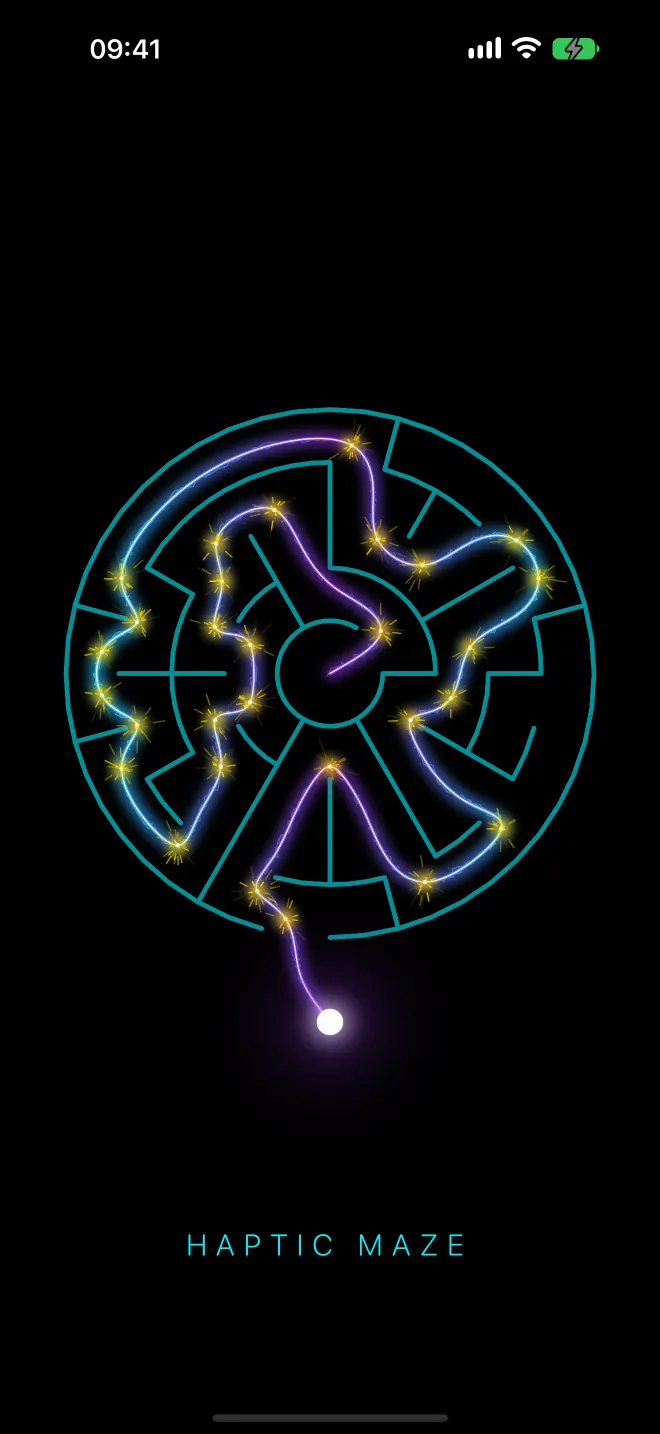
A maze you can't see, for iPhone and Apple Watch. Slide your finger through the dark and feel every wall in your hand. Reach the exit, and the way you came lights up as a thread of light.

The first chapter is free. No account, no ads, no tracking.
Haptic Maze launch screen: a circular maze in teal lines, a glowing cyan and violet thread winding through it with golden sparks, and a white dot at the entrance.
How it plays

Feel your way out
in the dark.

While you play, the maze stays hidden. When you get out, it shows you everything. These are the app's real screens, not mock-ups.

01 — Feel

The maze is invisible.

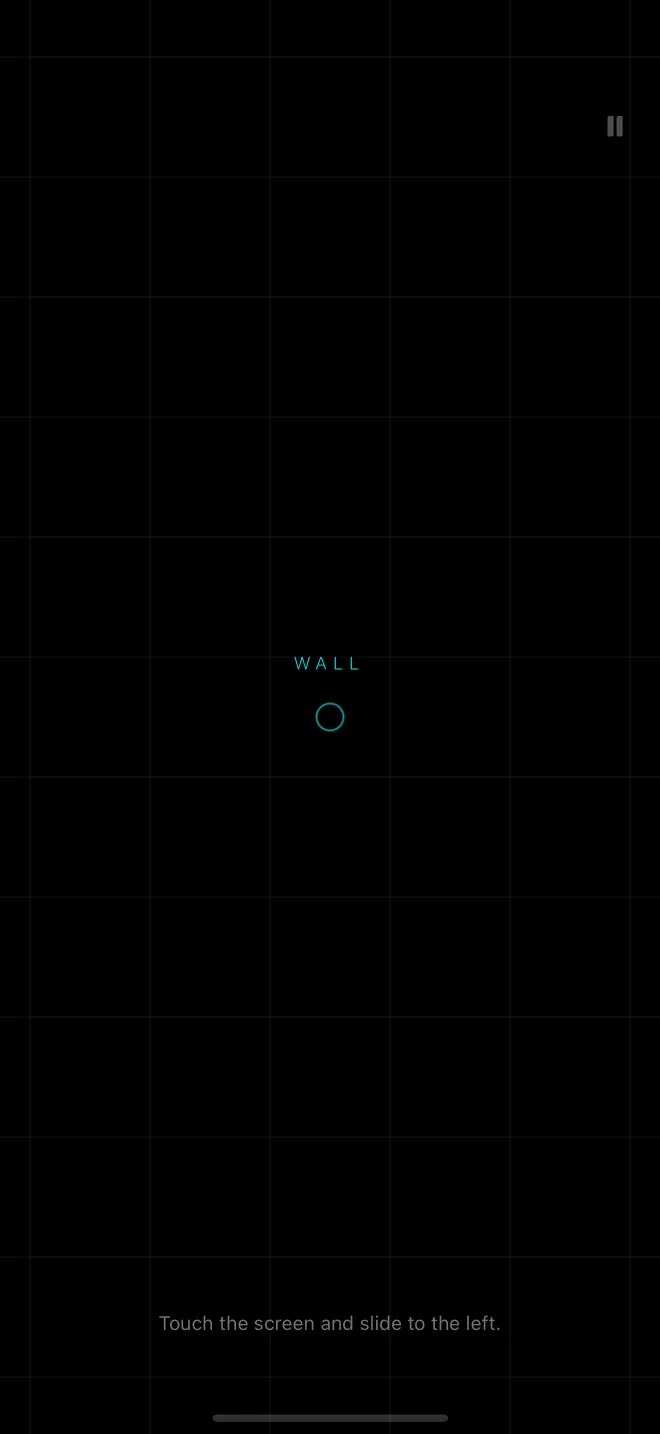
There's nothing to look at: a black screen, a faint grid and a small ring where you stand. Touch anywhere, slide the way you want to go, and the walls answer in your hand.

  • A sharp jolt means a wall. Silence means the way is clear.
  • A buzz grows as you close in on a wall, before you touch it.
  • The first level is a guided tutorial, spoken aloud step by step.
02 — Reveal

Then see your path.

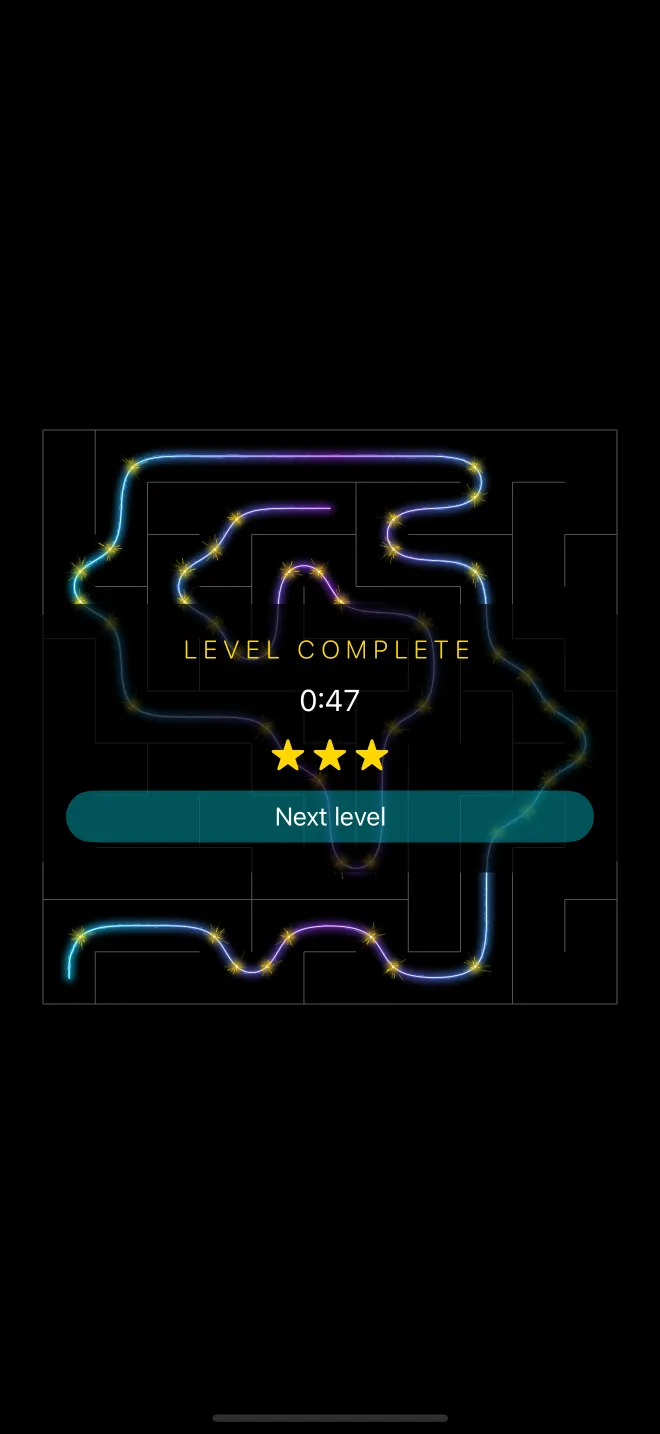
Reach the exit and the route you felt your way along is traced as a thread of light, start to finish, with sparks at every turn and a light click in your hand as the thread goes by each one.

  • The view eases out to show the whole maze you crossed blind.
  • Up to three stars, for a quick time and few walls hit.
  • Where a trap sent you back to the start, the thread breaks.
03 — Bend

Mazes that curve.

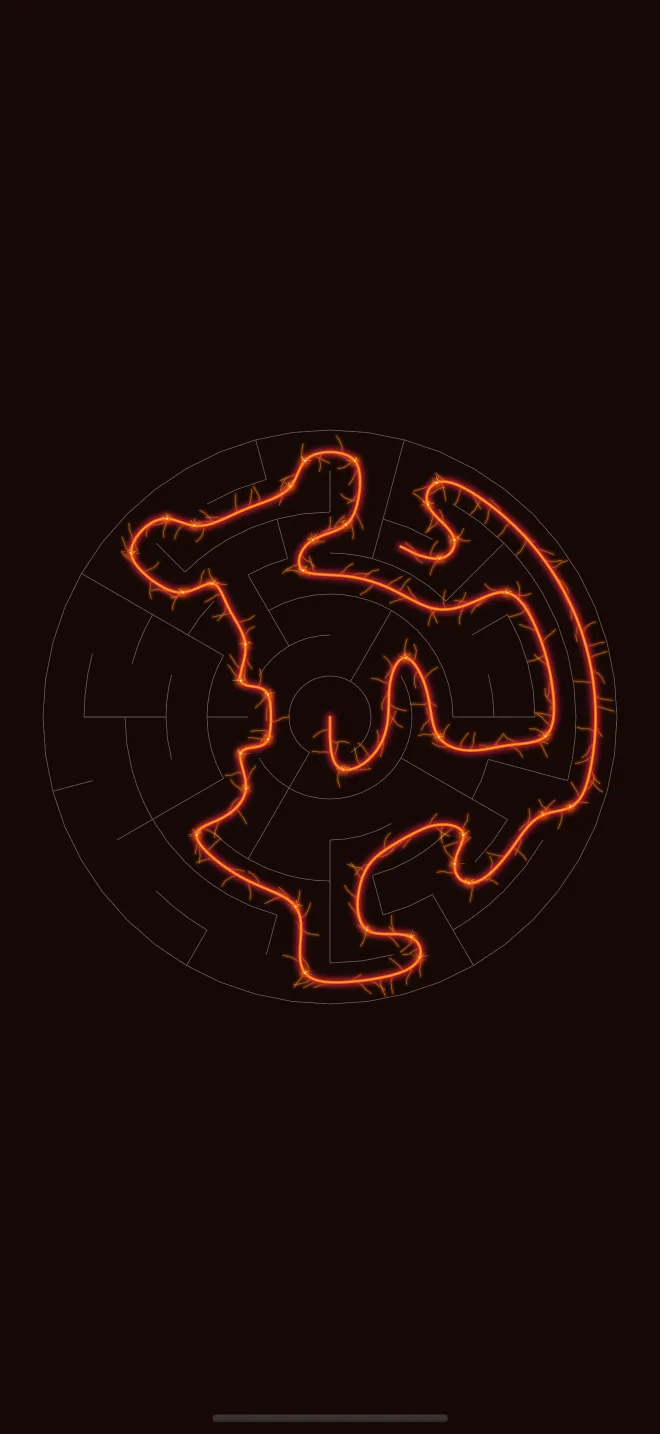
In Curvatures, the walls run in rings and the corridors bend, so there's no right angle to count on. You trace the shape in your head, one turn at a time.

  • Circular mazes, from four rings to seven.
  • The same touch language as the square mazes.
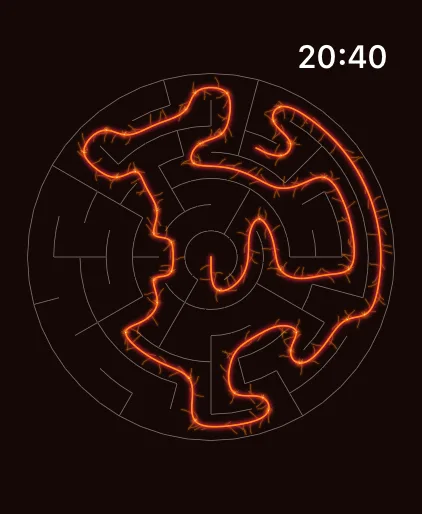
  • Here, revealed in the Volcanic thread.
04 — Progress

Four chapters, and a maze a day.

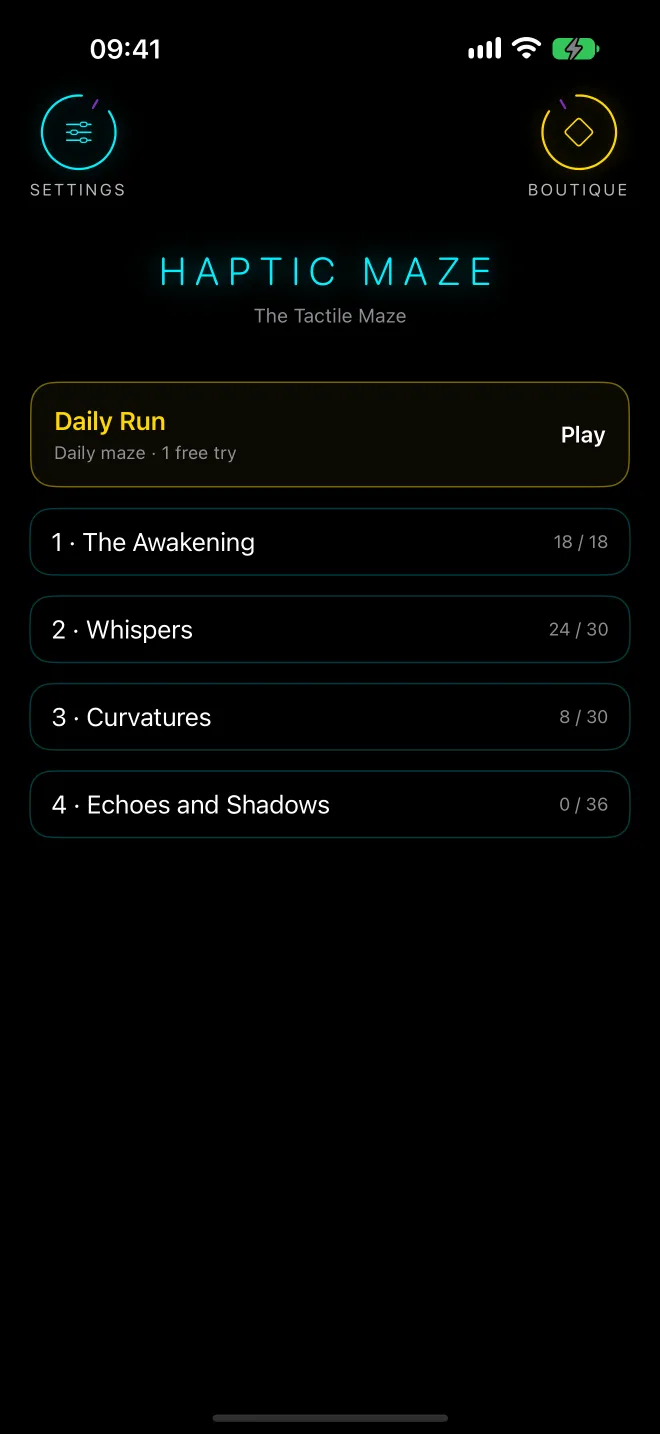
The Awakening teaches you to read the walls. Whispers hides keys you must find before the exit opens. Curvatures bends the maze into circles. Echoes and Shadows adds holes, doors that open and close, and traps on the move.

  • The Awakening is free: the tutorial and five mazes.
  • Inside a chapter, each level opens once the one before is solved.
  • The Daily Run: the same maze for everyone, one free try a day.
05 — Make it yours

Choose your light.

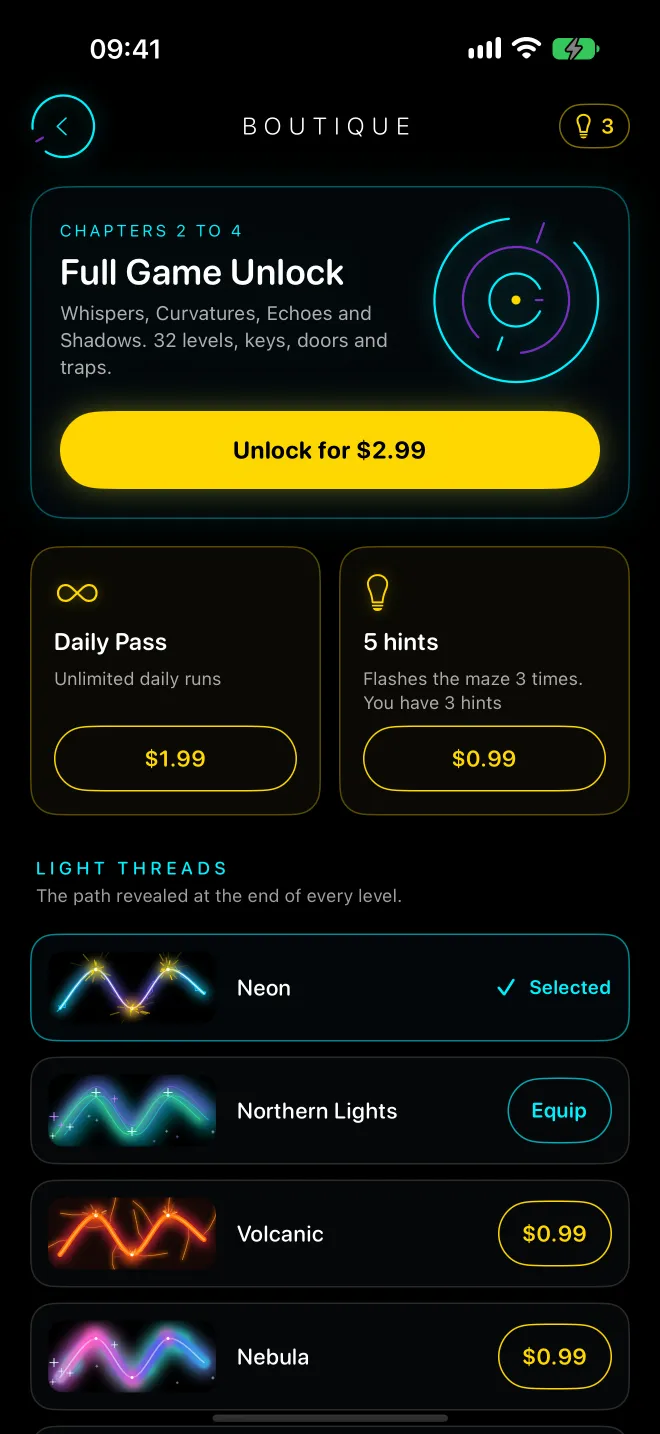
Neon is yours from the start. Northern Lights, Volcanic, Nebula and Plasma Laser change the thread that reveals every path, and on iPhone your home screen icon changes with it.

  • Full Game Unlock opens chapters 2 to 4: 32 more levels.
  • The Daily Pass lets you replay the Daily Run as often as you like.
  • Hint packs, for when the dark wins.
The tutorial: a black screen with a faint grid, a small ring where the player stands, the word WALL flashing above it and the instruction “Touch the screen and slide to the left.” End of a level: a square maze with the player's path lit as a cyan and violet thread, sparks at every turn, and the card “Level complete”, 0:47, three stars and Next level. A circular Curvatures maze, its path traced in the orange Volcanic thread with embers along the way. Home screen: Settings and Boutique buttons, the HAPTIC MAZE title, the Daily Run card and the four chapters with their stars: The Awakening 18/18, Whispers 24/30, Curvatures 8/30, Echoes and Shadows 0/36. Boutique: Full Game Unlock for chapters 2 to 4, the Daily Pass and a pack of 5 hints, then the light threads: Neon selected, Northern Lights, Volcanic and Nebula.
38Levels to get out of, tutorial included.
6Free levels in The Awakening, to play before you decide.
5Light threads to reveal your path.
0Ads, accounts or trackers.
The details

Made to be felt,
heard, then seen.

Touch tells you where the walls are, sound tells you where things are, and the light comes last.

A language of touch

Each sensation means one thing: a jolt for a wall, a rising buzz as one gets close, a double tap at a corner, a metallic double pulse for a key, a rattle for a trap, a warm swell at the exit.

Sound all around you

Footsteps, a thud where you hit, a chime at a junction, the tick of a closed door or a moving trap from wherever it is. With headphones, you can hear which side it's on.

A voice to guide you

Voice guidance reads every instruction aloud and tells you what just happened: “Key found.”, “The door is closed.”, “Trap! Back to the start.” Turn it off in Settings when you know the way.

Hints, when you're lost

Double-tap the maze and its walls and exit flash up three times, then go dark again. You start with three hints, and a level solved with one tops out at two stars.

Three stars to earn

Three for getting out within twice the time of the shortest route, with no more than three walls hit. Take longer, or bump more, and it's two, or one.

The Daily Run

A new maze every day, the same for everyone, with a key to find. One free try a day; the Daily Pass lets you go again as often as you like.

Works with VoiceOver

With VoiceOver on, your finger still steers through the maze directly, and a hint speaks the way instead of flashing it: “Up 2, then right.” With Reduce Motion, the reveal shows the whole maze from the start, without camera moves.

Pay once

One in-app purchase opens chapters 2 to 4 for good. The Daily Pass, the light threads and hint packs are extras you can skip. No subscription.

Private by design

No account, no ads, no tracking, nothing sent to our servers. Your stars stay on your device; only your hint count travels, through your own iCloud.
Apple Watch and iPhone Duo

On your wrist.
And unfolded.

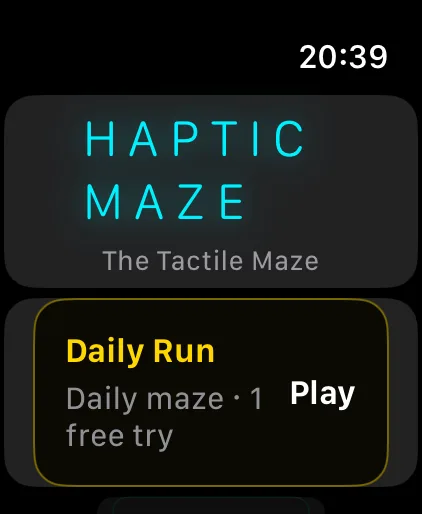
Haptic Maze has its own Apple Watch app, and it runs without your iPhone. Turn the Digital Crown to push forward, or slide on the screen, and feel the walls on your wrist.

Haptic Maze on Apple Watch: the HAPTIC MAZE title and the Daily Run card.
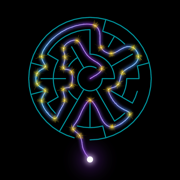
A circular maze revealed in the Volcanic thread on Apple Watch.
Apple Watch: the Digital Crown moves you forward
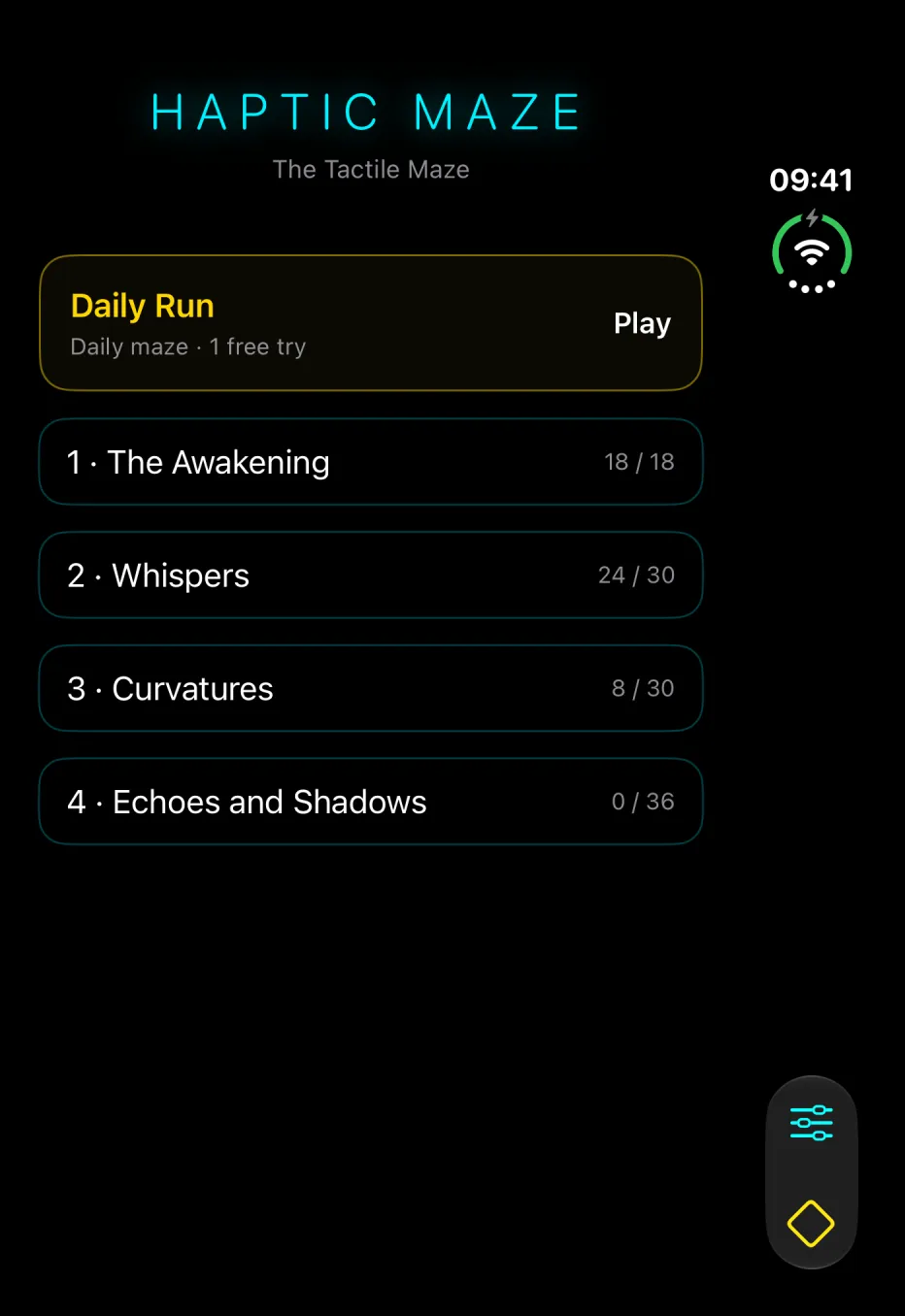
Haptic Maze on an unfolded iPhone Duo: the chapter list, with Settings and Boutique in the system bar along the right edge.
iPhone Duo: Settings and the Boutique move to the side bar
Coming soon

Haptic Maze is almost here.

It's on its way to the App Store for iPhone and Apple Watch. Leave your email and we'll write once, on the day it comes out.

  • Free to download, with The Awakening, one Daily Run a day and three hints.
  • One purchase unlocks chapters 2 to 4, on iPhone and Apple Watch.
  • No account, no ads, no tracking.
  • iPhone with iOS 18 or later, iPhone Duo included, and Apple Watch with watchOS 11 or later.

Get one email on launch day

Used for the launch email and nothing else.

One email when Haptic Maze comes out. That's all.

You're on the list.

We'll write as soon as Haptic Maze is on the App Store.

Before you ask

Straight answers.

Do I need to look at the screen?
No. The maze is never drawn while you play: there's only a faint grid and a small ring where you stand. You can play with your eyes closed. You only see the maze at the end, when your path lights up.
Do I need headphones?
They help, but you don't need them. Sounds are placed around you, so with headphones you can hear which side a thud or a ticking door is on. Walls, corners, keys and traps all come through touch, so the game still plays with the sound off.
What's free, and what costs money?
Downloading is free, with The Awakening (the tutorial and five mazes), one Daily Run a day and three hints. Full Game Unlock, a single in-app purchase, opens chapters 2 to 4: 32 more levels. The Daily Pass (unlimited daily runs), four more light threads and packs of five hints are optional. No subscription, and no ads.
How do hints work?
Double-tap the maze, or tap the bulb at the top: the walls and the exit flash up three times, briefly, then the screen goes dark again. With VoiceOver on, a hint speaks the next moves instead, such as “Up 2, then right.” You start with three hints, and a level solved with a hint gets two stars at most.
How are stars earned?
Three stars if you reach the exit within twice the time the shortest route takes, hitting no more than three walls. Two stars within four times that, with up to eight walls. One star otherwise: every exit counts.
Does it work on Apple Watch?
Yes. Haptic Maze has its own Apple Watch app, which works without your iPhone nearby (watchOS 11 or later). Turn the Digital Crown to push forward in the direction you're facing, or slide on the screen. Purchases follow your Apple Account on both, and your hints are shared through iCloud; stars are kept on each device.
Where is my progress saved?
On your device: there's no account, and deleting the app erases your stars. Your hint balance is shared between your iPhone and Apple Watch through your own iCloud. Purchases belong to your Apple Account, so Restore Purchases brings them back on a new device.
Which languages are supported?
English and French. The app follows your device's language, and so does the voice.